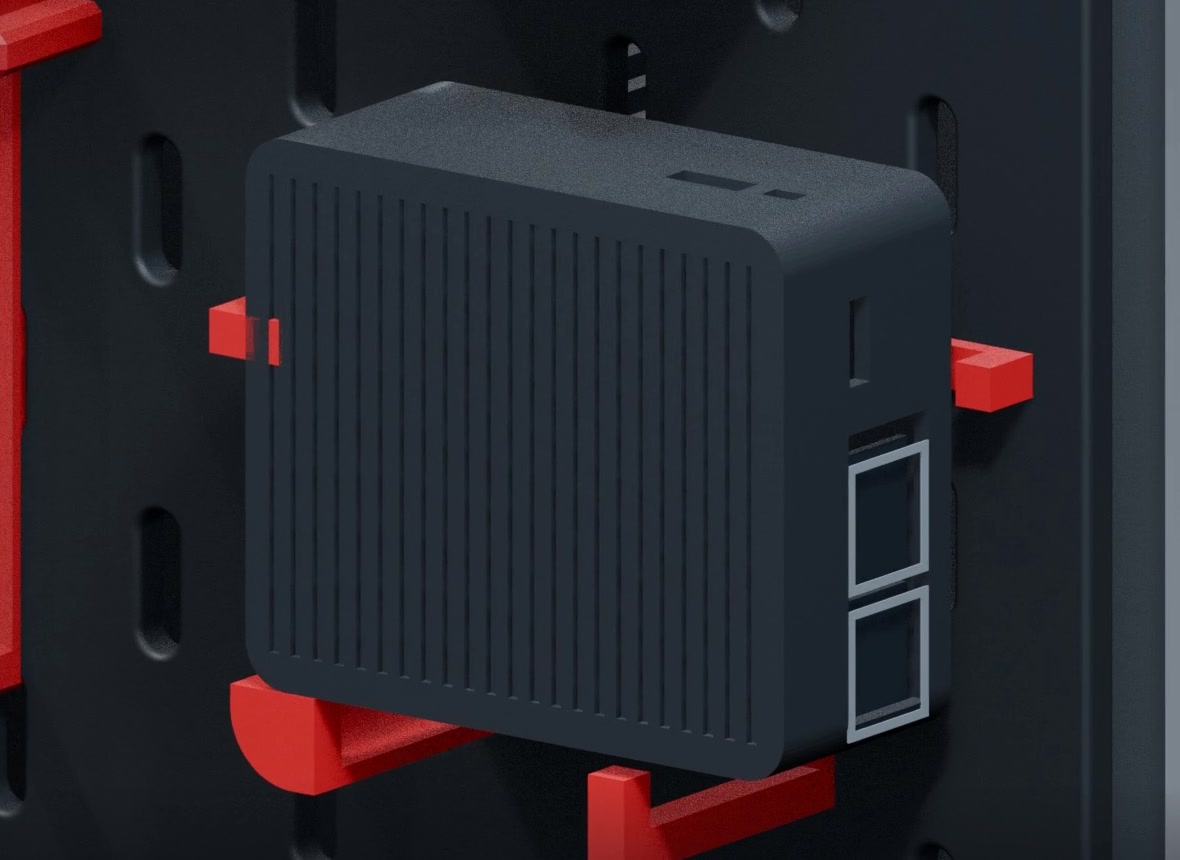
Router
Compute Module 4 at the heart of the network
Raspberry Pi CM4 inside a finned aluminum DFRobot enclosure, held by dedicated mounting brackets.
Web3 Pi · Cluster Edition
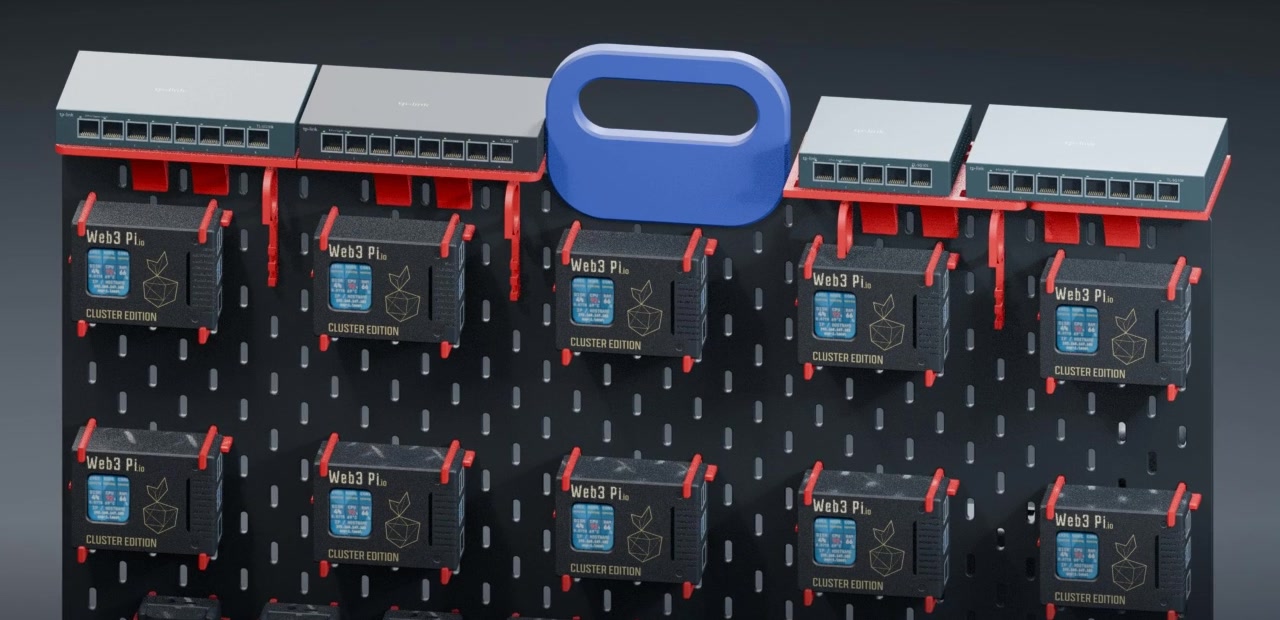
Ten Raspberry Pi 5 nodes with NVMe storage, intelligent Web3 Pi UPS backup and a dedicated network — engineered onto a single board you can pick up by the handle.
00 The film
A camera tour of the rev5 3D model — compute, enclosure and display, backup power, networking, and the power stage on the back.
Rendered from the rev5 3D model. Narration is AI-generated. Captions available in the player.
Introduction
10
Raspberry Pi 5 nodes
each in an Argon NEO 5 NVMe case
40
Cortex-A76 cores
overclocked to 2.8 GHz (stock 2.4 GHz)
160 GB
of RAM
LPDDR4X-4267, 16 GB per node
20 TB
of NVMe storage
10 × Goodram PX700 2 TB
13
UPS modules
Web3 Pi UPS with Sony NP-F770 batteries
330 W
12 V DC power supply
plus a CM4 router and 4 gigabit switches
01 Anatomy
A pegboard chassis with custom red mounts carries compute, backup power and networking. Hover or tap a number to see what it is.
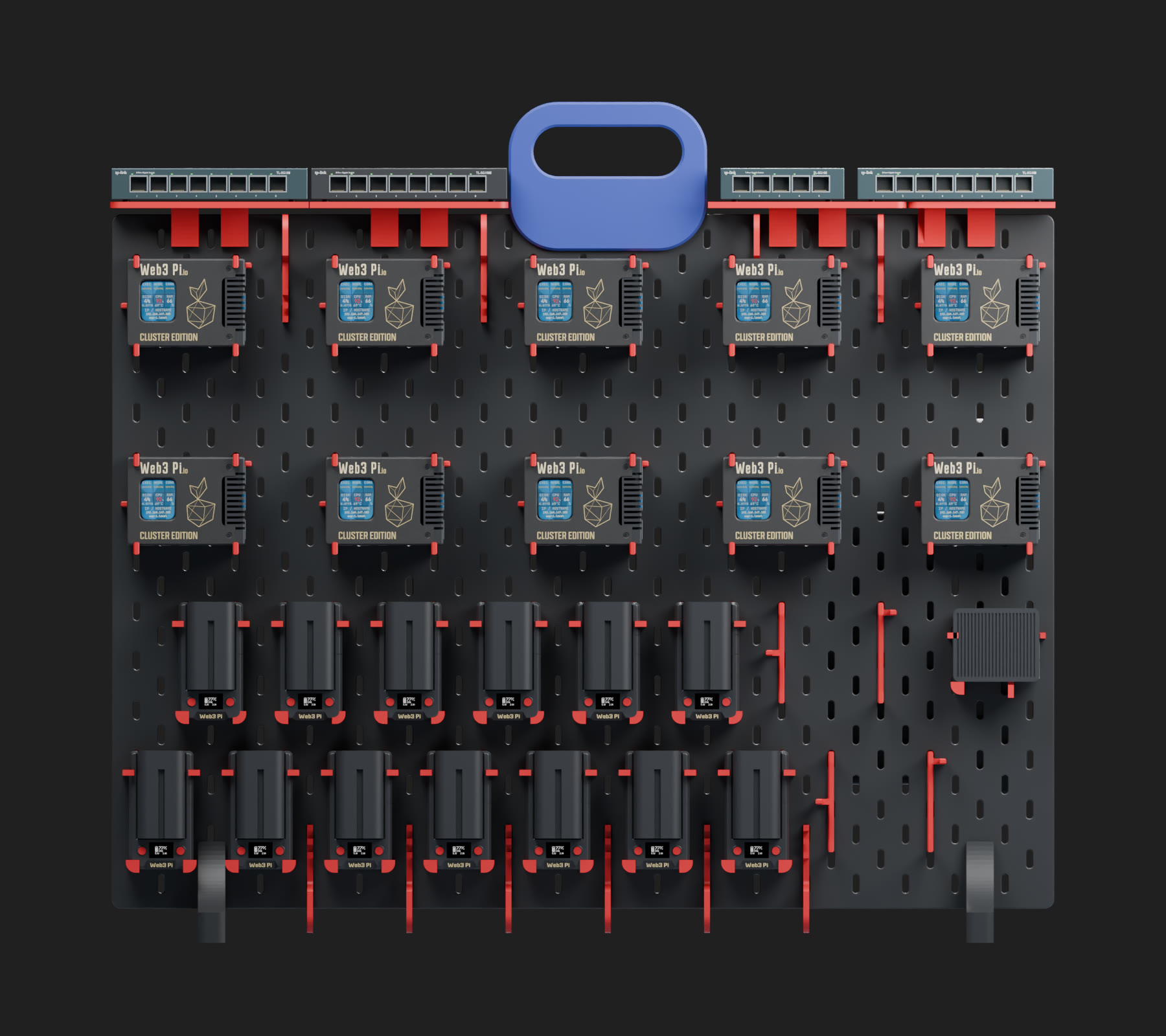
Four TP-Link gigabit switches on the top shelf
The whole cluster moves as a single unit
10 × Raspberry Pi 5 in Argon NEO 5 NVMe cases, two rows of five
13 × Web3 Pi UPS with Sony NP-F770 batteries
Raspberry Pi CM4 in a finned aluminum DFRobot enclosure
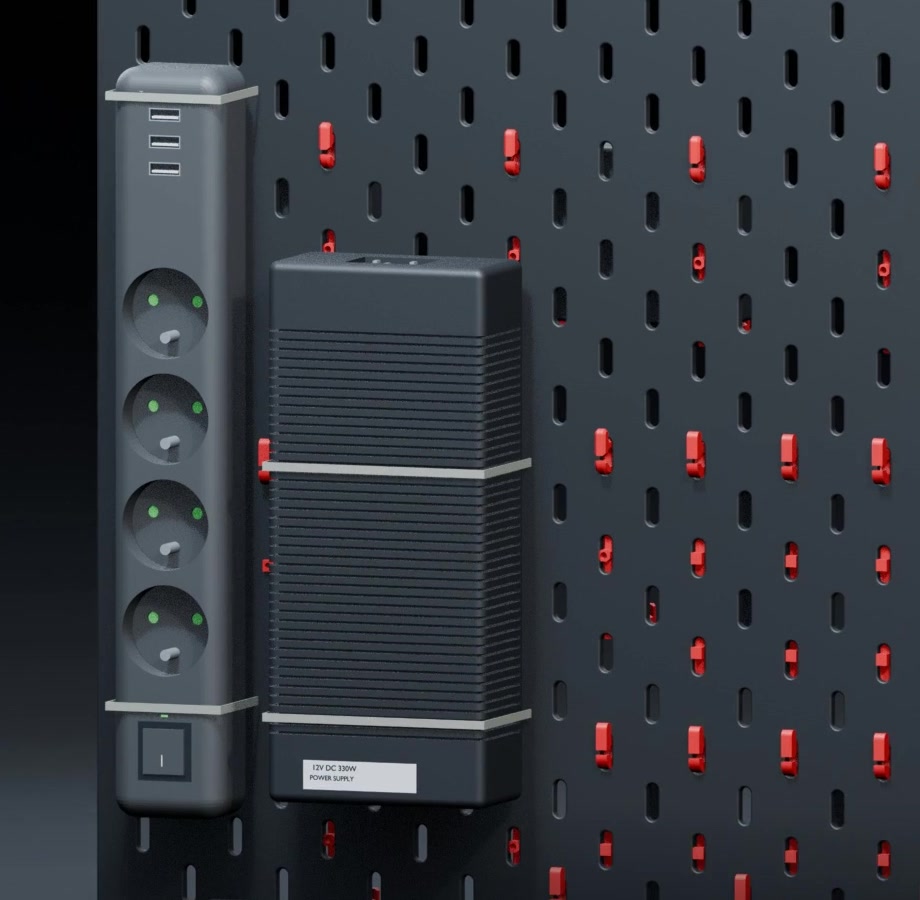
330 W 12 V DC supply and a 4 × 230 V + 3 × USB-A power strip
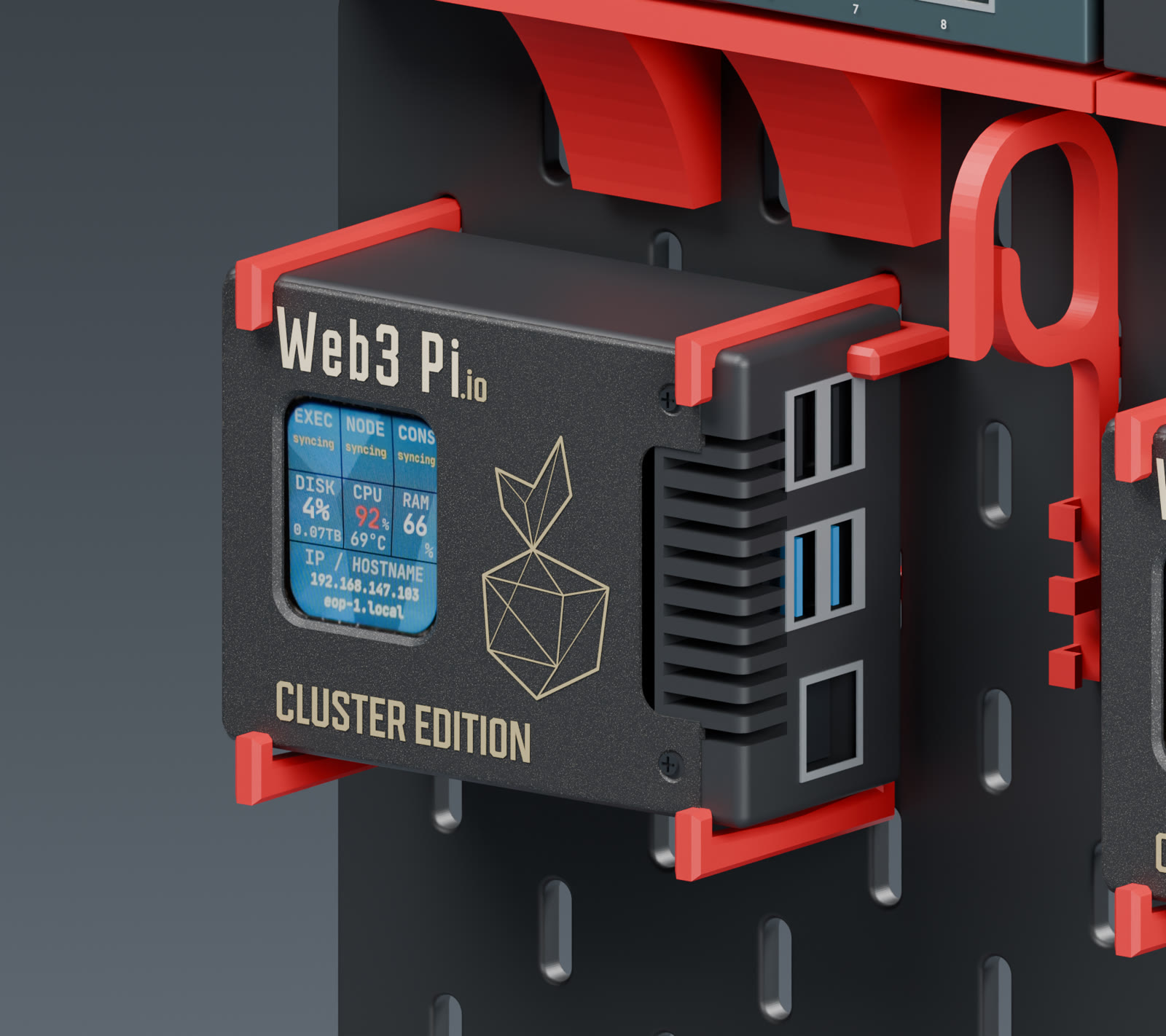
02 Compute
Each node is a Raspberry Pi 5 with 16 GB of RAM, overclocked to 2.8 GHz and booting from a 2 TB NVMe drive over PCIe Gen 3.
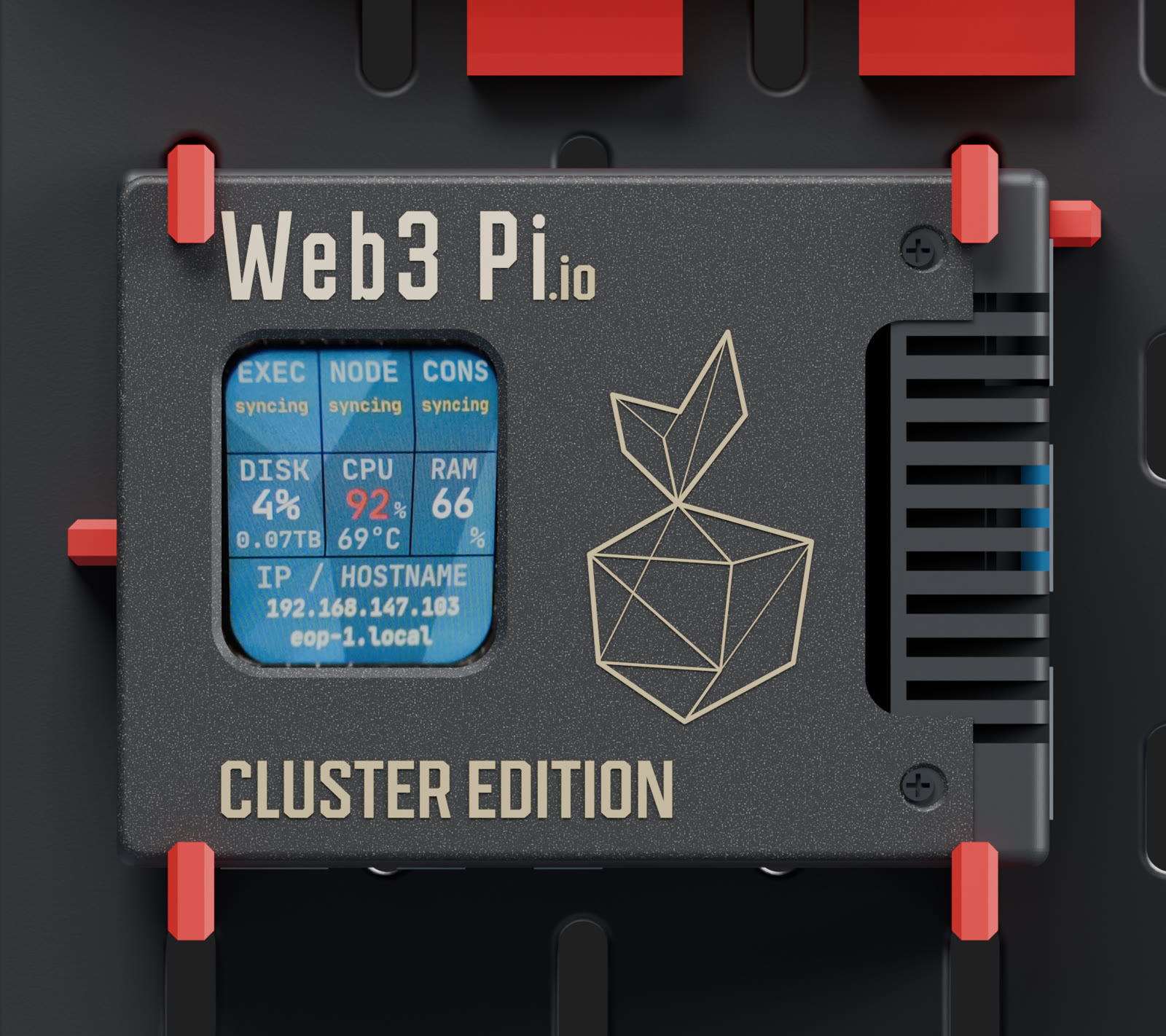
03 Status display
A 1.69″ IPS screen in the custom Cluster Edition lid shows each node at a glance — no monitor, no SSH.
EXEC · NODE · CONS
Execution client, node and consensus client status
DISK · CPU · RAM
Disk usage, CPU load and temperature, memory
IP / HOSTNAME
Find any node on the network instantly
Waveshare 24382 · 240 × 280 px
04 Network
A router built on the Raspberry Pi Compute Module 4 and four gigabit switches give the cluster a self-contained network. Every node links at 1 Gb/s, full duplex.
Router
Raspberry Pi CM4 inside a finned aluminum DFRobot enclosure, held by dedicated mounting brackets.
05 Power
Mains feeds a 330 W, 12 V DC supply on the back of the board. It powers thirteen Web3 Pi UPS modules, which hand each Raspberry Pi 5 its native 5 V / 5 A profile over USB-C.
Interactive · simulation
Mains
230 V AC
live
Power strip
4 × 230 V
+ 3 × USB-A
Supply
330 W
12 V DC
UPS × 13
NP-F770
external power
Nodes × 10
5 V · 5 A
running
06 Web3 Pi UPS
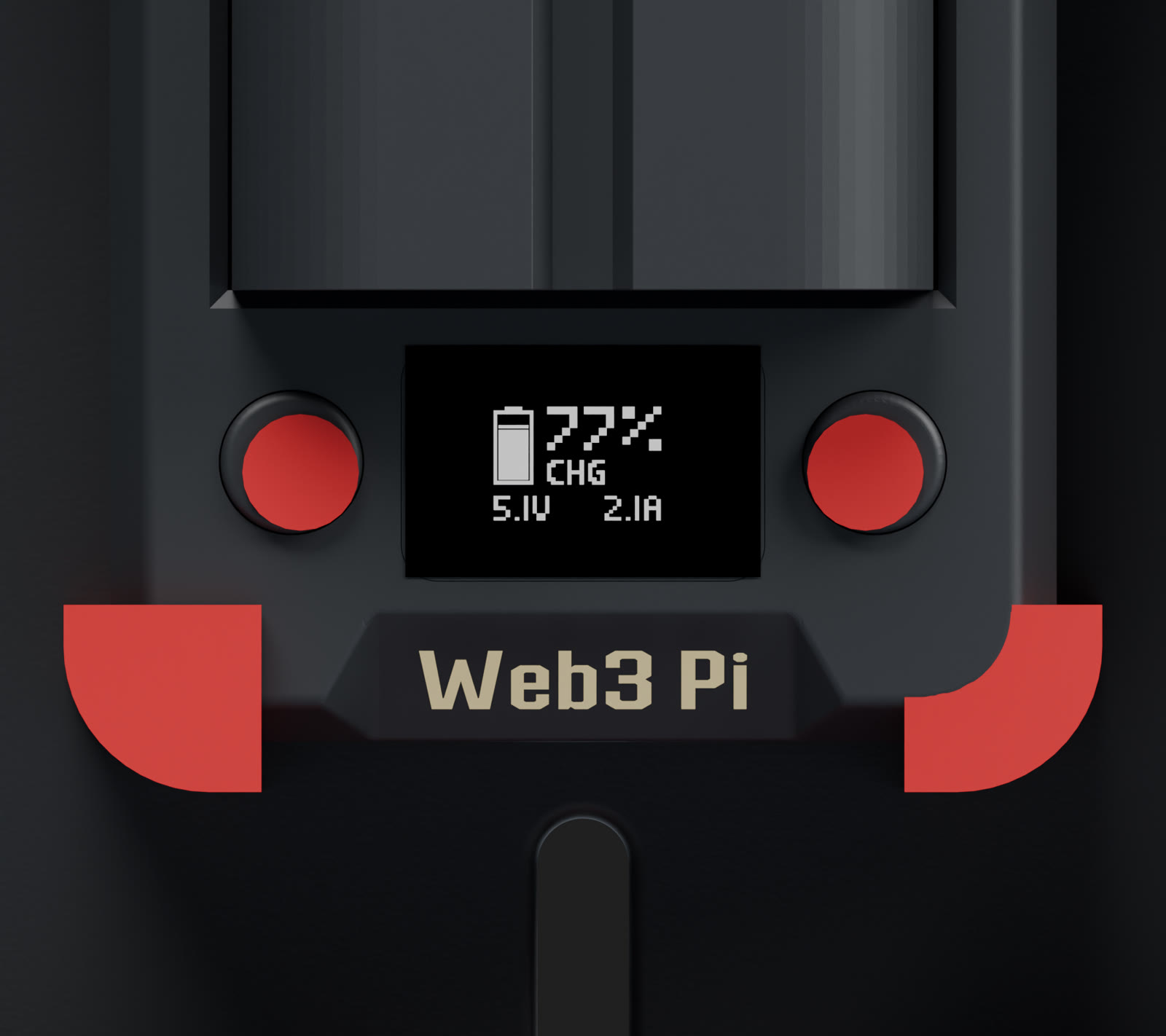
An intelligent USB-C UPS built for Raspberry Pi 5 and Ethereum nodes that have to run around the clock.
Instant failover to the battery — the Pi never sees a power drop.
Clean OS shutdown on low battery and safe recovery when power returns — no database corruption.
A built-in LTE-M link reports power events even when the router is down.
Restart node services, reboot the Pi or power-cycle it from panel.web3pi.io.
Three power sources
9–20 V, 45 W+ recommended
12–20 V — here from the 12 V supply
Hot-swappable, user-replaceable

Output
Raspberry Pi 5
5 V · 5 A · 27 W
Native Pi 5 power profile — no undervoltage warnings. Power and data over a single USB-C cable.
Supported Sony NP-F batteries
NP-F570
18.7 Wh
NP-F770 used in this build
38.5 Wh
NP-F970
71 Wh
Monitoring over LTE-M
A built-in Cat-M1 modem with a pre-installed global SIM keeps the UPS online independently of the home network.
Instant
alerts on power loss, restore and faults
30 s
regular telemetry interval
Reports topanel.web3pi.ioyour own server (HTTP)Arkiv — tamper-evident
Control from the web panel
Claim the device in panel.web3pi.io to see live UPS, host and Ethereum client status with full event history.
07 Software
# /boot/firmware/config.txt
arm_freq=2800              # stock 2400
over_voltage_delta=50000   # +50 mV
dtparam=pciex1
dtparam=pciex1_gen=3

# rpi-eeprom-config
BOOT_UART=1
BOOT_ORDER=0xf461
NET_INSTALL_AT_POWER_ON=1
08 Presentation
Use ← → or swipe. F for full screen.
09 In real life
10 Specification
| Component | Model | Qty |
|---|---|---|
| Computer | Raspberry Pi 5, 16 GB RAM | 10 |
| Case | Argon NEO 5 NVMe with Web3 Pi Cluster Edition lid | 10 |
| Storage | Goodram PX700 2 TB, NVMe M.2 | 10 |
| Display | 1.69″ IPS LCD, 240 × 280 px (Waveshare 24382) | 10 |
| UPS | Web3 Pi UPS with Sony NP-F770 batteries | 13 |
| Router | Raspberry Pi CM4 in a DFRobot aluminum enclosure | 1 |
| Switches | TP-Link gigabit: 2 × TL-SG108, TL-SG108E, TL-SG105 | 4 |
| Power supply | 330 W, 12 V DC | 1 |
| Power strip | 4 × 230 V, 3 × USB-A | 1 |